First demo in days, not weeks.
Daniel joins your buyer's video call and demos your real product live, with a natural voice, any hour, no rep needed. After they buy, he onboards them too.

Daniel is an AI agent that joins your video call, shares his screen and talks to your customer. He runs the full live demo while you sleep or focus on other work. Fully automated, start to finish.
The same live voice that drives your real product in a demo keeps helping after the deal closes. Sell, onboard and support with one agent, from the same knowledge and playbook.
Asks discovery questions, then shows your real product to every buyer the moment they ask.
Demo in progressWalks new customers through setup in your real product, step by step, and answers questions as they go.
Step 2 of 5: connect your dataAnswers how-to questions and shows the exact steps in your product. When it can't help or a customer asks for a person, it hands off to your team with a summary and transcript.
Hand-off to your teamToday: English, plus Spanish and French in preview. Video calls only, answers from the knowledge pages you add. It doesn't create tickets or sync to a helpdesk. Calls are logged to Zoho CRM, HubSpot or Salesforce when you connect one.
When you schedule a video call demo, Daniel reads your prospect's own public website first and writes a short brief for the call. Every fact links to the page it came from, your team can edit anything, and he never guesses.
Home, about, pricing, product, customers, careers, contact and blog pages, read within strict limits and respecting robots.txt.
What they do, likely industry, pricing model, customers they name and size signals they state, each with its source link and a confidence label.
Edit or delete any line in the dashboard. Daniel uses your version, treats it as unverified and checks it with your prospect.
No tech-stack guesses, no personal details, no paid data sources. Free-mail addresses like Gmail are skipped.
"Your site says you serve mid-size e-commerce brands. Is that the team this is for?"
Works for scheduled video-call demos, using the company website or work email you give us. Daniel reads only the company's own public pages, so the brief can be incomplete for sites with little readable text. You can turn it off for your workspace.
A buyer who is curious today rarely waits a week for a calendar slot. Every step between "show me" and seeing the product costs you pipeline, and buyers outside your office hours drop off first.
New demo request. Next free slot: 4 days.
WaitingBuyer in another time zone asks to see it.
WaitingDemo finally on the calendar.
No-show"We went with someone faster."
LostDemo started in the same minute. Daniel is sharing the real product. Discovery, demo and questions answered, with the transcript in your dashboard when the call ends.
Show new sign-ups the features that matter to them, live, before they drop off, without a rep on every account.
Give every sign-up and inbound lead a live demo call, and save your reps for the buyers who are ready.
Buyers in other time zones, or browsing at 11 pm, get a demo straight away instead of an autoresponder.
Give every lead a full product walkthrough from your own playbook, even when your team is busy.
Not a recorded tour and not a chatbot. A conversation that drives your actual interface.
For each call you get the lead's name, company and goal, a summary and the full transcript, plus a flag if they asked for a person.
Connect Zoho CRM, HubSpot or Salesforce from your dashboard.
Background for Daniel only. He tailors discovery with it and never reads it out.
Connect Zoho CRM, HubSpot or Salesforce in a few clicks. Disconnect anytime.
Daniel sees key facts from the buyer's CRM record before the call.
Each call is logged on the buyer's record with its summary and transcript link.
Existing records are never overwritten. Retries update the same call log.
English remains the default. Spanish and French are opt-in previews and still need real-call quality validation. Hindi and Japanese remain on the roadmap.
| Click-through tour | Human sales engineer | MySalesDemo | |
|---|---|---|---|
| Starts the moment a buyer asks | Yes | No, needs a slot | Yes |
| Shows the real product | A copy | Yes | Yes |
| Asks discovery questions | No | Yes | Yes |
| Answers follow-up questions | No | Yes | Yes, from your playbook |
| Available 24/7 | Yes | No | Yes |
| Many demos at the same time | Yes | One per person | Yes, one browser per session |
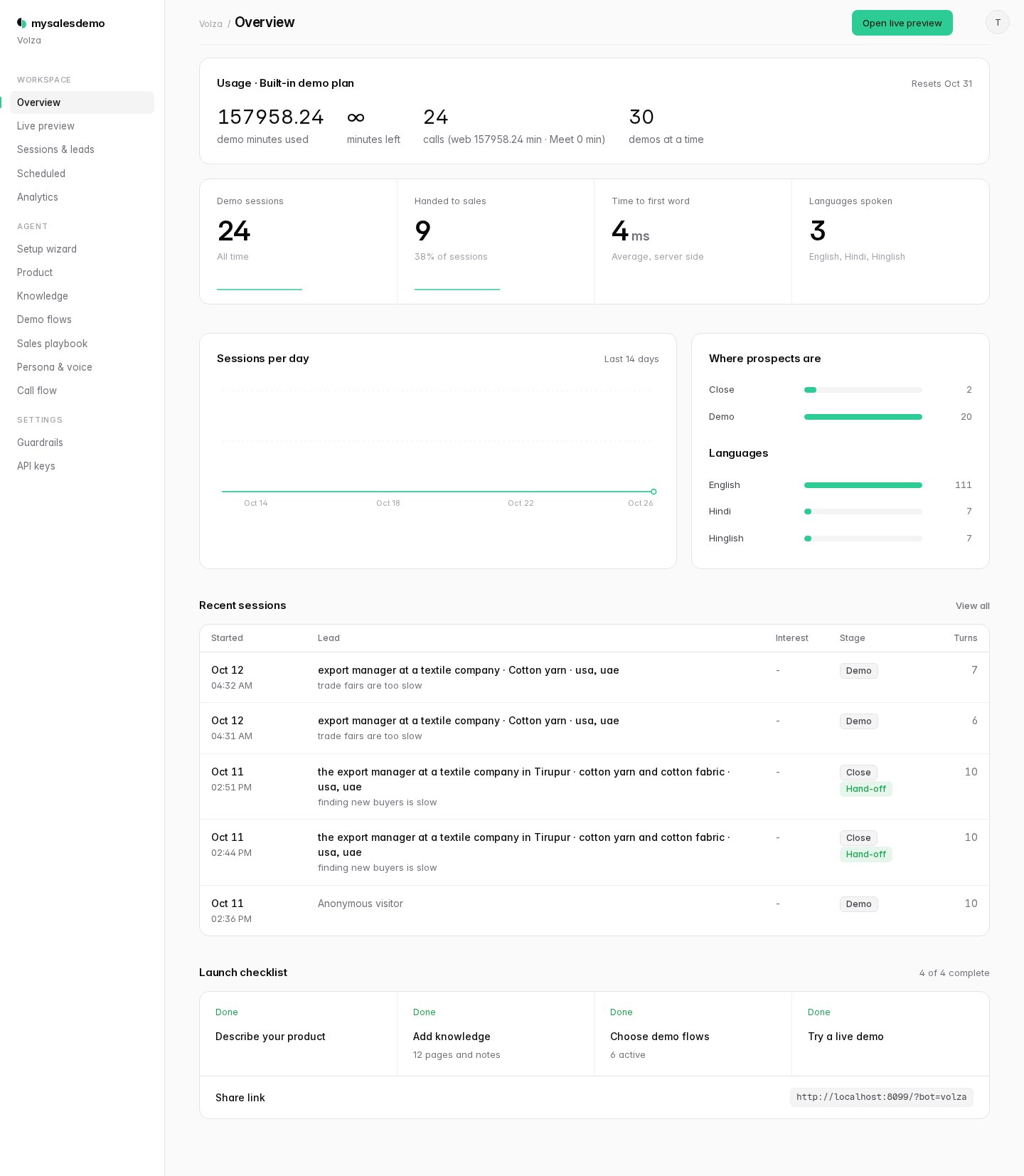
Each company gets its own workspace to review leads and transcripts, and to edit the knowledge, flows, playbook and voice behind its agent. Changes go live on the next call.

Natural, real-time voice that starts moving in about a second. Talk over it and it stops and listens.
Discovery, pricing and objections from your own playbook.
Clicks, types and navigates your real product in its own isolated browser, with many calls at once.
Stays on your allowed domains and never submits forms, so it can't create, buy or delete anything.
It can look and explain, but it can't change anything. Every limit is set per company in the dashboard.
The browser stays on the sites you list. Links anywhere else are blocked.
It can type to show a search, but it never submits, buys, deletes or signs up.
Each call gets a separate browser context, closed when the call ends.
Companies only see their own leads and transcripts, and stored API keys are never shown back.
Schedule from your own app, review every call in the dashboard, and log calls to Zoho CRM, HubSpot or Salesforce. See how the CRM sync works.
| Integration | What it does | Status |
|---|---|---|
| Scheduling API | Schedule Daniel into a video call from your own app with one API call | Available |
| Leads and transcripts | Review every session and its full transcript in the dashboard | Available |
| Hand-off to a human | Flags the session and passes a summary when a buyer asks for a person | Available |
| CSV export | Download your calls and leads, with summaries, as a CSV from the dashboard | Available |
| Zoho CRM | Looks up the buyer before the call, then logs each call on their record with the summary and a transcript link | Available |
| HubSpot | Looks up the contact before the call, then logs each call on their record with the summary and a transcript link | Available |
| Salesforce | Looks up the buyer before the call, then logs each call on their record with the summary and a transcript link. Works with Enterprise, Unlimited, Performance and Developer editions (Professional needs API access) | Available |
| Calendar hand-off | Book the follow-up call with your rep at the end of the demo | Planned |
Priced on demo minutes, so you pay for demos delivered, not seats. Every plan includes live demos in video calls, call summaries, transcripts and the full dashboard.
MySalesDemo is an AI demo agent: Daniel joins your prospect's video call, shares his screen, operates your real product and answers questions live.
An AI demo agent is software that gives a live product demo on its own. It joins a call, shares its screen, operates the real product in a browser and talks with the prospect, answering questions as it goes. MySalesDemo's AI demo agent is called Daniel.
Yes. Daniel joins a video call, asks a few discovery questions, then shares his screen and walks the prospect through your real product live. He works from the knowledge pages and playbook you provide and hands off to your team when a buyer asks for a person.
Recorded demo videos, interactive click-through demo tools, self-serve sandboxes, and live AI demo agents. Recordings and tours can't answer new questions; a live AI demo agent shows the real product and responds to each buyer. See the comparison.
A summary with the prospect's interest level, objections and next steps, plus the full transcript and lead details in your dashboard.
Neither. MySalesDemo controls a real browser running your product and narrates what it does, live, adjusting to each question.
Yes. The same agent can run onboarding calls that walk new customers through setup in your real product, and answer how-to questions by showing the steps live. It works from your knowledge pages, in English (Spanish and French are opt-in previews), and hands off to your team with a summary and transcript when a customer asks for a person. It doesn't create support tickets or connect to helpdesk tools yet. If you connect Zoho CRM, HubSpot or Salesforce, these calls are logged there too.
Yes, for scheduled video-call demos. Before the call he reads the prospect company's own public website, such as its home, about, pricing, product, customers and blog pages, and writes a short brief with a source link and confidence label on every fact. Your team can edit it in the dashboard. Daniel treats it as unverified and confirms it with the prospect. He doesn't guess tech stack or look up people, and he skips free-mail addresses.
Yes, if you use Zoho CRM, HubSpot or Salesforce. All three are available now. Connect it from the dashboard. Before a scheduled call, Daniel looks up the buyer by email for background like the record owner, stage and deal stage. After the call, it's logged on their record with the summary, next steps and a transcript link, and the research brief is added as a note. Salesforce works with Enterprise, Unlimited, Performance and Developer editions (Professional needs API access).
No. It takes the first conversation and the repeat demos, then hands warm, qualified buyers to your reps with a summary and transcript.
English is the default. Spanish and French are opt-in previews, not yet validated in real calls. Hindi and Japanese are planned.
It answers only from the knowledge pages and playbook you add, and it doesn't make up prices or numbers. If something isn't covered, it says it will check with your team. Every call is saved with a full transcript you can review.
It only visits domains you allow and never submits forms. You choose which flows it may show.
Add your customer's video call in the dashboard. Daniel asks to join like a guest; once someone admits him, he shares his screen, talks to your customer and runs the whole demo on his own. Confirm video-call compatibility during setup; additional platforms are planned.
Starter is $199 a month for 300 demo minutes. Growth is $399 a month for 1,000 demo minutes. Prices include tax. If you run out of minutes, you can upgrade from your dashboard at any time. Each plan has a $149 one-time setup fee, which covers setting up your product, knowledge base and demo login. For higher volume, we'll put together a Custom plan with you.
Time Daniel spends in a live demo, from when he's admitted to the video call to when he leaves. Your dashboard shows the minutes you've used.
Add your product details, knowledge pages, demo flows and sales playbook in the dashboard. Or let our team handle it as part of the one-time setup. Then send Daniel to your video calls.
Yes. Book a 30-minute demo and our team will show you Daniel at work and talk through how he would demo your product to your buyers.
Each call gets its own browser. You set a limit per company. If every slot is busy, Daniel keeps trying to join for up to five minutes.
Book a 30-minute call with our team. We'll look at your product and demo volume, and suggest a setup plan and the right plan for your team.
Opens the booking page in a new tab.